
Every day, most people use SMS texts for important stuff – travel reminders, package notifications, or quick notes from friends.
Because we check texts so quickly, scammers also use SMS to try to catch us off guard.
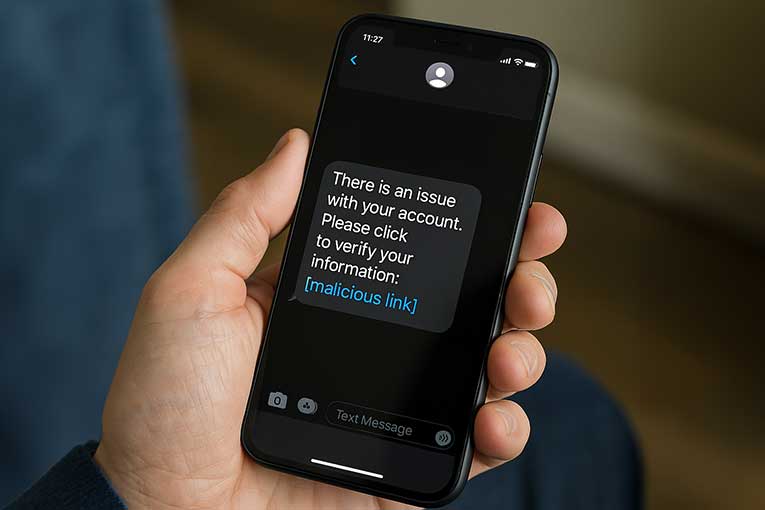
One simple example is receiving a text warning that there’s a problem with your account or a parcel delivery.
The message urges you to click a link or call a number to ‘fix’ the issue.
But if the text is fake, clicking the link can send you to a fraudulent website or download harmful software onto your phone
In this article, we will look at how smishing attacks work, what kinds of smishing you might see, and, most importantly, how you can protect yourself.
By the end, you should feel more confident about spotting a smishing text and knowing what to do if you ever get o
What is a Smishing Attack?
A smishing attack is essentially a phishing scam carried out over SMS.
In other words, it is a fraudulent text message designed to trick you.
Smishing is basically the text message version of phishing.
That means a scammer sends you a malicious link or request by text, instead of by email.
The goal is to make you do something, usually, either click a link or call a phone number, that lets the criminal steal your information or money.
The text will often contain a link to a fake website made to look just like a real site (for example, a banking or delivery company).
Then it will ask you to enter personal or financial details on that fake site.
For instance, the message might say your online shopping order was delayed, or that there’s a problem with your bank account.
When you follow the link, the site will harvest anything you type in, be it passwords, card numbers or other private data, and put it directly into the scammer’s hands.
Smishing attacks use basic psychology tricks too.
Scammers may pretend the situation is urgent (for example, ‘Your account will be closed unless you act now!’) or very tempting (such as ‘You’ve won a gift card – claim it here!’).
The hope is you’ll panic or get excited and act before thinking.
The messages are often spoofed so that they look like they come from someone you trust – maybe even showing your actual name or the real company’s logo.
But behind the scenes, the real sender is hiding.
How Does a Smishing Attack Work?
Smishing attacks follow a few basic steps.
Here’s a simple breakdown:
The Fake Message Arrives
You get a text out of the blue, or seemingly in reply to something.
It might say it’s from your bank, saying ‘We noticed unusual activity’, or ‘Your parcel is ready for delivery’.
Sometimes the sender name even looks familiar.
Fraudsters use a trick called ‘spoofing’ to make the message seem genuine (for example, making the text appear to come from a real number or account).
The Text Contains a Lure
The message usually demands action, either clicking a link or calling a number.
It might offer something nice (an order delivery, a prize, or resolving a security issue) or threaten something scary (your account will be suspended, or a fine is due).
For instance, it could say ‘Click here to pay a storage fee for your parcel’.
These calls to action create a sense of urgency or reward.
You Respond or Click the Link
If you click on the link, it often takes you to a webpage that looks just like the real site it’s copying (say your bank’s login page or the delivery firm’s customer page).
The moment you enter any details (passwords, card numbers, etc.), you’re actually sending them to the scammer’s fake site.
Even if you don’t type, sometimes the link itself can install harmful software on your phone without you realising.
If you call the number in the text, you might hear an automated message or reach a person who will try to coax your information from you (sometimes even asking for one-time passwords or PINs).
Or Answer Questions
Some smishing texts may not have a link at all.
Instead, they might simply ask you to reply with a code or some personal data.
For example, ‘Reply YES to confirm your order’ or ‘Enter your 6-digit code from X app’.
If you reply, the scammer may ask further questions, each time pretending it’s for a legitimate reason.
Types of Smishing Attacks
Smishing attacks come in a few common varieties.
Here are some examples of the kinds of fake messages you might see:
Delivery and Parcel Scams
These pretend to be from couriers like UPS.
The message might say a package delivery failed or that there’s a customs fee.
It asks you to pay a small fee to release or re-route the parcel.
For example: ‘Your parcel is on hold. Click here to pay for redelivery’.
In reality, there is no parcel.
Bank or Financial Alerts
Scammers often pretend to be your bank or credit card company.
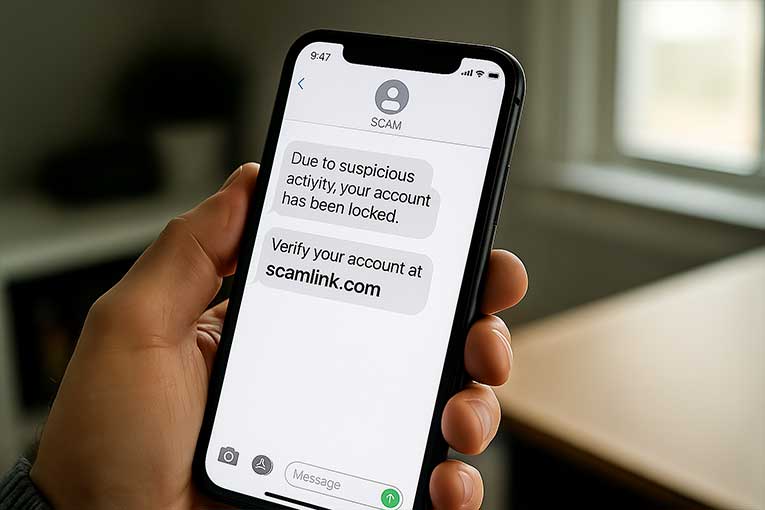
The text may warn of suspicious activity, a frozen account, or a failed transaction.
It then gives a link or number to ‘fix’ the problem.
These messages can be very scary, as people naturally worry about losing access to money.
Remember that real banks do not ask for personal details over text.
Prize, Lottery or Voucher Scams
You might get a text claiming you have won a prize, gift card or voucher.
This appeals to our excitement over freebies.
If you follow the link or give details, the prize is fake, and you may end up giving your personal or financial information to criminals.
Subscription or Service Alerts
Scammers pose as streaming services or online shops.
For example, they might pretend to be Netflix, PayPal, or Apple saying your subscription was charged or that you need to update payment information.
If you click the link, it goes to a site that steals your login info. .
How to Protect Yourself from Smishing Attacks

Staying safe from smishing is mostly about being cautious and checking messages carefully.
Here are some key tips:
Never Click Unexpected Links or Attachments
If you get a suspicious text, do not click any links or download any files it contains.
Even if it says it’s from your bank or a friend, it could be a trap. Instead, delete the message or check the claim in a safer way.
Verify by Contacting the Company Directly
If the text says it’s from your bank or a delivery firm, ignore the link or number in the message.
Instead, go to the official website (by typing the address yourself) or call the official phone number.
For example, if it claims to be your bank, look up the customer service number on your bank’s website or on the back of your card, and ring them to ask if there’s really an issue.
Do not use the phone number or email given in the suspicious text, that could connect you to the scammer.
Be Suspicious of Urgency and Freebies
Scammers will try to scare you or tempt you with great offers to make you act fast.
If a text says you must act immediately, stop and think first.
If it promises a prize you didn’t enter to win, assume it’s a trick.
Remember that legitimate organisations don’t usually use extreme pressure.
Check the Sender and Message Details
Look closely at the phone number or sender ID.
It might look unusual or be spelled slightly differently (for example, “O2” vs “02”).
Also scan the text for grammar mistakes or odd phrasing, which are common signs of scam messages.
Use Security Features on Your Phone
Keep your phone’s operating system and apps updated.
Many smartphones have built-in spam filters or settings to block unknown senders.
Consider installing a reputable mobile security app which can warn you about malicious links and software.
Block and Delete
If you recognise a text as a scam, you can block the number that sent it and then delete the message.
This prevents the scammer from texting you again from the same number.
However, blocking is not a complete solution (scammers can switch numbers), so always stay alert.
Tell Friends and Family
Many people (especially older relatives) may not be familiar with smishing.
If you get a scam text, let others know about it so they don’t fall for the same trick.
Spread awareness: for example, someone might warn a friend who uses the same bank or delivery company.
What to do if You’re a Victim of a Smishing Attack?
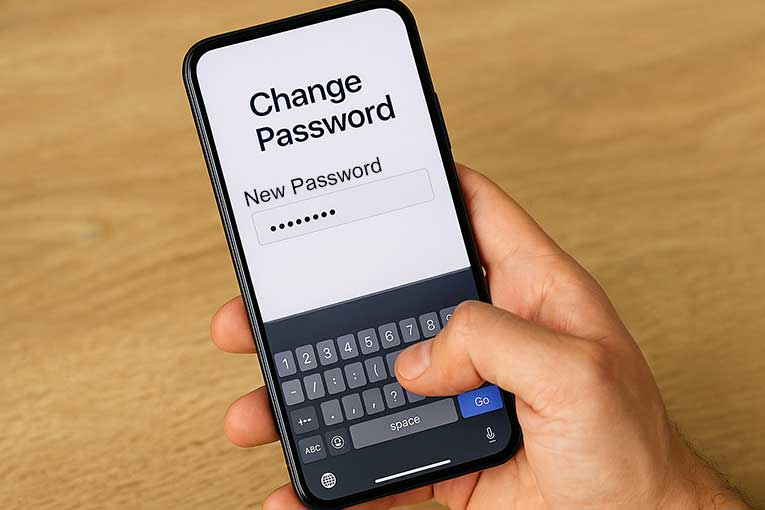
If you realise that you have clicked on a smishing link, given information, or just think you might have been targeted, take action immediately.
Don’t panic, but do the following as soon as you can:
Stop and Assess
If you clicked a link or gave any information, immediately stop using any suspicious pages or calls.
If a website is still open on your phone or browser, close it and disconnect from the internet if you can.
Change Your Passwords
If you entered any login details on a fake site (such as for your bank, email, or social media), go to the real site right away (by typing the address yourself) and change those passwords.
Also change passwords on any other important accounts, especially if you use the same password in multiple places.
Notify Your Bank or Card Provider
If you gave any bank or card information, or if you see unexpected transactions, call your bank’s official fraud line immediately.
Let them know you might have been scammed.
They can freeze your card or account and help prevent any losses.
You might also consider blocking your card as a precaution, then getting a replacement card.
Report the Scam
In the UK, you should report smishing attacks to the authorities.
Reporting helps authorities track scam trends and may help protect others.
You should also report the scam to any company the scammer was pretending to be (for instance, if it pretended to be your bank, tell the bank about the fake message, or if it used the Netflix name, report it to Netflix).
Many companies and banks have special email addresses or web pages for scam reports.
Check Your Device
If you suspect your phone might have been infected by malware (for example, if it behaves strangely after clicking a link), run a security scan or take it to a technician.
Remove any unfamiliar apps and consider doing a factory reset of your phone (after backing up important data).
Watch Your Accounts
Keep an eye on your bank statements and online accounts for a while after the attack, to catch any unusual activity early.
If you notice anything, report it right away.
Learn
Finally, use the experience as a learning point.
Think about what happened and how the text looked.
Share the details with family or friends (without sharing your private info, of course) so they can watch out for the same scam.
Conclusion
You should now have an understanding of what a smishing attack is and how they work.
Smishing attacks are a modern twist on classic phishing scams.
By using text messages, something most of us read instantly, scammers try to trick you in the moment.
But with some caution and quick thinking, you can stay safe.
Always remember to treat unsolicited texts with a healthy dose of scepticism: check who really sent it, avoid clicking links, and contact the company directly if you’re unsure.
If a message seems too urgent or too good to be true, take a moment before you act.
Your phone and your personal information are too valuable to hand over by mistake.
After all, the best outcome of learning about smishing is that fewer scams work, and fewer people suffer at the hands of fraudsters.